



< Back to Electrical & Electronic Toolchain
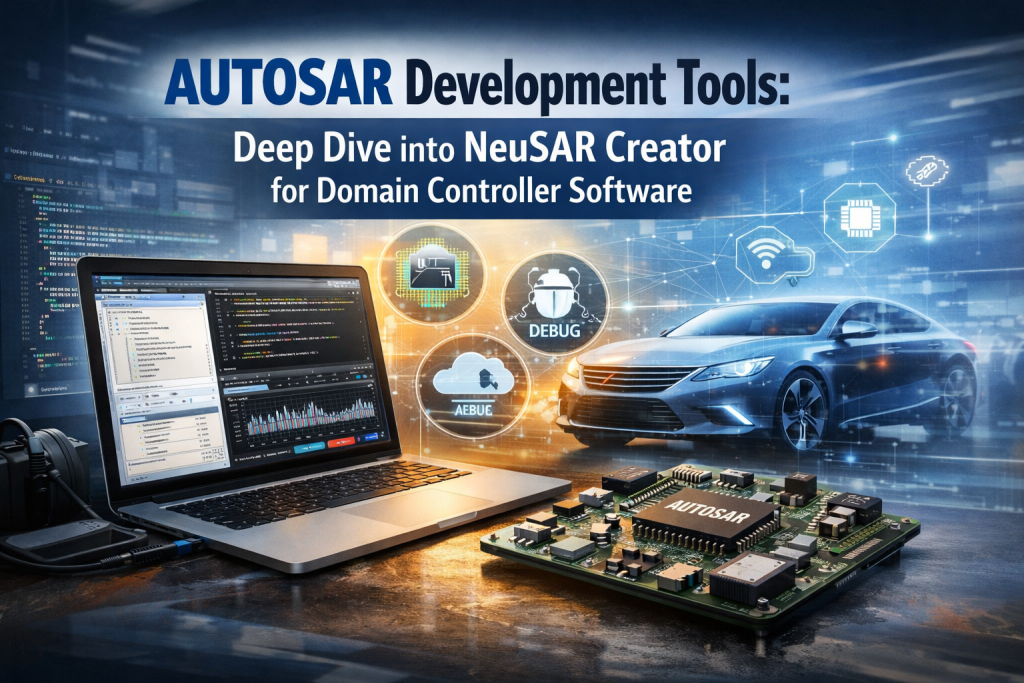
AUTOSAR development tools are software platforms used to design, configure, build, test, and deploy automotive software based on AUTOSAR standards. NeuSAR Creator brings all of these steps into one environment, helping engineers move faster, reduce errors, and manage complex domain controller systems more efficiently.
- Why Modern Automotive Teams Struggle With Toolchains
- What Are AUTOSAR Development Tools and Why Do They Matter?
- Where Does NeuSAR Creator Fit in the AUTOSAR Toolchain?
- How Is NeuSAR Creator Structured Internally?
- How Does System Design and Configuration Work?
- What Does Code Development Look Like?
- How Do Build and Debug Work?
- How Are Version Control and Documentation Managed?
- How Does Licensing Work?
- Real Project Example: Domain Controller Development
- Why Teams Choose NeuSAR Creator
- What Is Changing in the Industry?
- What Comes Next for AUTOSAR Tools?
- Author & Trust Signals
- Final Thought
- AUTOSAR tools support modern vehicle software systems
- Traditional tools are split → cause delays and errors
- NeuSAR Creator puts everything into one workflow
- Works with AUTOSAR AP/CP, multi-core systems, and remote debugging
- Real projects show 30% faster development and fewer errors
Why Modern Automotive Teams Struggle With Toolchains
Here’s what usually happens in a real project.
One team handles configuration. Another writes code. Someone else manages debugging. Documentation sits somewhere else entirely.
Now imagine trying to keep all of that in sync.
That’s where problems start.
NeuSAR Creator was built to remove that friction by keeping everything connected in one place.
What Are AUTOSAR Development Tools and Why Do They Matter?
Short answer:
AUTOSAR development tools help engineers build standardized, reusable automotive software that works across ECUs and vehicle platforms.
Vehicles are no longer simple systems. They are closer to distributed computing platforms.
You now have:
- Domain controllers instead of isolated ECUs
- Multi-core processors
- Cross-domain communication
All of this increases complexity. Without the right tools, even simple updates become difficult.
Where Does NeuSAR Creator Fit in the AUTOSAR Toolchain?
Short answer:
NeuSAR Creator is a full-stack development environment that supports AUTOSAR AP, CP, and middleware, allowing engineers to complete the entire workflow in one tool.
It is part of the NeuSAR DevKit and supports:
- NeuSAR aCore (AUTOSAR Adaptive Platform)
- NeuSAR cCore (AUTOSAR Classic Platform)
- SF (Service Framework middleware)
It also works with:
- Infineon AURIX
- NXP S32
- Renesas RH850
And has already been used in:
- 50+ vehicle programs
- Millions of deployed systems
How Is NeuSAR Creator Structured Internally?
Short answer:
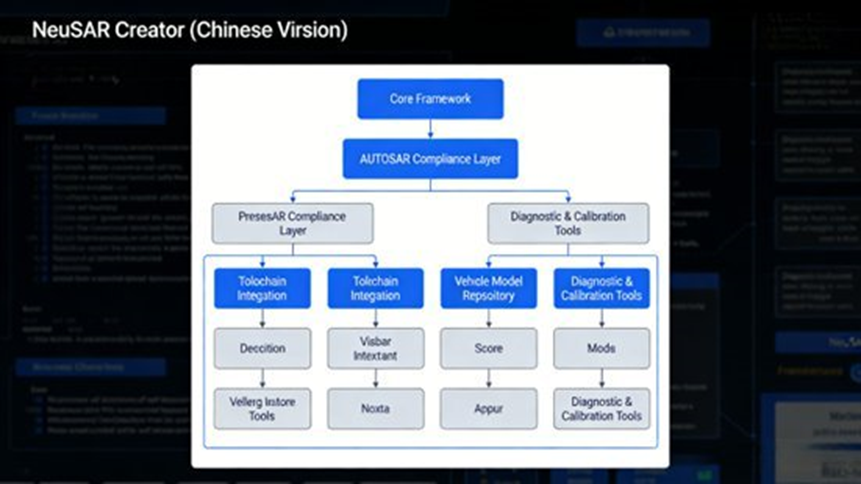
It uses a three-layer structure: user interface, core functions, and system integration.
1. Interaction Layer
- Chinese interface with multi-language support
- Custom layouts and shortcuts
- Command panel and task system
This reduces the learning curve, especially for large teams.
2. Functional Layer
This is where daily work happens:
- System design
- Configuration
- Coding
- Build and debug
- Version control
- Documentation
Everything connects. No switching tools.
3. Adaptation Layer
Handles integration with:
- AUTOSAR R21-11
- Chip platforms
- Git / SVN
- Doxygen / Sphinx
This is what makes it usable in real production environments.
How Does System Design and Configuration Work?
Short answer:
NeuSAR Creator uses ARXML-based visual configuration with built-in validation and multi-core support.
Project Setup
- File → New Project
- Set project path and name
- Add AP sub-project
- Configure IP address
- Click Submit
You can also:
- Open projects via neusar-project.json
- Rename or delete sub-projects
- Edit partitions
ARXML Configuration
Left side:
- Node tree
Right side:
- Parameter editor
Supported parameter types:
- Input fields
- Selection lists
- References
- Integer lists
Important details:
- Required fields marked with “*”
- Errors appear before code generation
Multi-Core Configuration
Supports:
- Heterogeneous cores
- Resource allocation
- Cross-core communication
This is critical for domain controller systems.
Validation
- Use Arxml Check
- Shows success or failure
- Lists error count and details
This helps catch issues early.
What Does Code Development Look Like?
Short answer:
NeuSAR Creator offers a full editor with real-time checks, multi-language support, and AI-assisted coding.
Supported Languages
- C++
- JSON
- Markdown
- CMakeLists
- Shell
Key Features
- Auto-completion
- Go to definition
- Find references
- Rename symbols
- Hover for details
Code Standards
- Custom rules
- Format entire file: Shift+Alt+F
- Format selection: Ctrl+K Ctrl+F
Keeps teams consistent.
AI Coding (NeuSAR Copilot)
You can write something like:
“Implement CAN message receive function”
And get structured C++ code.
It also:
- Suggests correct API usage
- Completes code blocks
How Do Build and Debug Work?
Short answer:
It supports both local and remote builds, with graphical debugging over SSH using GDB.
Build Setup
Configured in tasks.json:
Includes:
- Build version
- Output path
- Commands
Example:
- Simple: echo command
- Complex: full C++ build process
Debug Workflow
- Extract debug.tgz
- Get .sym file
- Copy to runtime path
- Open debug panel (Ctrl+Shift+D)
- Configure launch.json
launch.json Key Fields
- “type”: “gdb”
- “request”: “launch” or “attach”
- “target”: executable path
- “ssh”:
- host
- username
- password
Supports remote debugging over SSH.
Debug Features
- Breakpoints (F9)
- Step execution
- Variable inspection
No need for command line tools.
How Are Version Control and Documentation Managed?
Short answer:
NeuSAR Creator includes built-in Git/SVN support and automated documentation generation tools.
Version Control
- Commit
- Pull
- Branch management
All inside the IDE.
Documentation
Using:
- Doxygen
- Sphinx
Generates:
- API docs
- Design documents
- Development guides
Markdown Support
- Real-time preview
- Used for reports and notes
How Does Licensing Work?
Short answer:
Three options: online login, license file, or USB key.
Options
- Online account login
- Local or remote .lic file
- USB-Key
Notes
- Ubuntu needs USB environment setup
- License status: Help → License
- Supports both browser-based and client-based setups
Real Project Example: Domain Controller Development
Setup
- Smart cockpit domain controller
- AUTOSAR AP R21-11
- Infineon AURIX TC397
Workflow
- Project creation
- ARXML configuration
- Multi-core setup
- Code development
- Remote debugging
- Git integration
- Deployment and testing
Results
- 30% faster development
- 40% fewer coding errors
- 50% faster debugging
Why Teams Choose NeuSAR Creator
- One tool instead of many
- Built-in AUTOSAR compliance
- AI support for coding
- Works well with Chinese OEM workflows
- Supports many chip platforms
What Is Changing in the Industry?
Teams are no longer asking:
“Which tool should we use?”
They are asking:
“Which toolchain helps us build software faster and safer?”
That’s a different question.
What Comes Next for AUTOSAR Tools?
Expect:
- More AI in development
- Less dependency on hardware testing
- Broader chip support
NeuSAR Creator is moving in that direction.
? Frequently Asked Questions (2026 Industry Trends)
How does NeuSAR Creator improve development efficiency?
Short answer:
It removes tool switching and keeps the full workflow in one place.
NeuSAR Creator combines configuration, coding, debugging, and documentation in a single environment. This avoids data mismatch and reduces manual steps.
In practice, teams move faster and spend less time fixing integration issues.
What are the biggest AUTOSAR toolchain challenges?
Short answer:
Integration complexity and disconnected workflows.
Teams often deal with multiple vendors, poor tool compatibility, and gaps between system design and deployment.
This makes collaboration harder and slows down development.
How does NeuSAR Creator support SOA and domain controllers?
Short answer:
It supports Adaptive AUTOSAR and service-based communication.
Using aCore and SF middleware, it allows services to communicate across domains while handling multi-core configurations.
This matches modern vehicle architecture trends.
Can integrated tools reduce debugging complexity?
Short answer:
Yes, by keeping debugging and development in one system.
NeuSAR Creator provides remote debugging, monitoring, and analysis tools in one place.
It also supports early testing without hardware, which saves time.
Why are OEMs adopting local AUTOSAR tools?
Short answer:
Better control, faster support, and lower dependency on external vendors.
Local tools adapt faster to:
- Domestic chip platforms
- Engineering workflows
- Regulatory needs
At the same time, they remain AUTOSAR compliant.
Author & Trust Signals
Author: Johnny Liu
Role: CEO, Dowway Vehicle
Experience: 15+ years in AUTOSAR, ECU systems, and domain controller development
Last Updated: March 18, 2026
Final Thought
The real shift is simple.
It’s not about tools anymore.
It’s about how well your toolchain supports the entire software lifecycle.
And that’s where the difference shows.
