


< Back to Automotive Design Toolchain
Author: Johnny Liu, CEO at Dowway Vehicle
Date: March 2026
In the automotive industry, digital tools like Siemens NX CAD are essential for improving design accuracy and speeding up production. NX CAD is a powerful platform that helps automotive engineers design and manufacture vehicles with high precision. This guide explores the core features of NX CAD, its role in automotive design, and its real-world applications. It also includes practical tips for engineers looking to use this tool more effectively.
- What is NX CAD?
- Why is NX CAD Important for Automotive Engineering?
- Key Features of NX CAD for Automotive Design
- How NX CAD Integrates with Other Tools
- Optimizing Automotive Design with NX CAD
- Case Studies: Real-World Applications of NX CAD
- Practical Tips for Using NX CAD
- Conclusion: The Future of Automotive Design with NX CAD
- Frequently Asked Questions (FAQ)
- 1) What’s “NX X” and what new features are being released?
- 2) How do automotive engineers automate vehicle design tasks in NX?
- 3) How do I integrate NX CAD with PLM and other tools?
- 4) Where can I find help, community discussions, and FAQs for NX CAD?
- 5) What are common technical issues people ask about in NX CAD?
What is NX CAD?
NX CAD is a 3D design tool by Siemens used extensively in the automotive industry. It is known for its versatility in handling complex design tasks, such as parametric modeling, freeform surface design, and assembly design. Engineers use NX CAD to create accurate digital models of vehicles and components, which are essential for simulations, testing, and manufacturing.
Why is NX CAD Important for Automotive Engineering?
NX CAD has become a critical tool for leading automotive companies like BMW, Toyota, and Great Wall Motors. It helps engineers streamline workflows, reduce errors, and accelerate product development. The platform connects design, simulation, and manufacturing, making it easier for teams to collaborate and deliver high-quality designs on time.
Key Features of NX CAD for Automotive Design
Parametric and Synchronous Modeling
NX CAD allows engineers to create 3D models that are easily adjustable. Using parametric modeling, changes to one part of the design, such as an engine block, can automatically update other components. This feature speeds up the iteration process, as adjustments can be made quickly without needing to rebuild the model.
Synchronous Technology allows engineers to make real-time changes to models without worrying about breaking the design. This is particularly useful for modifying existing parts, such as the chassis or suspension systems, based on new testing results.
Freeform Surface Design
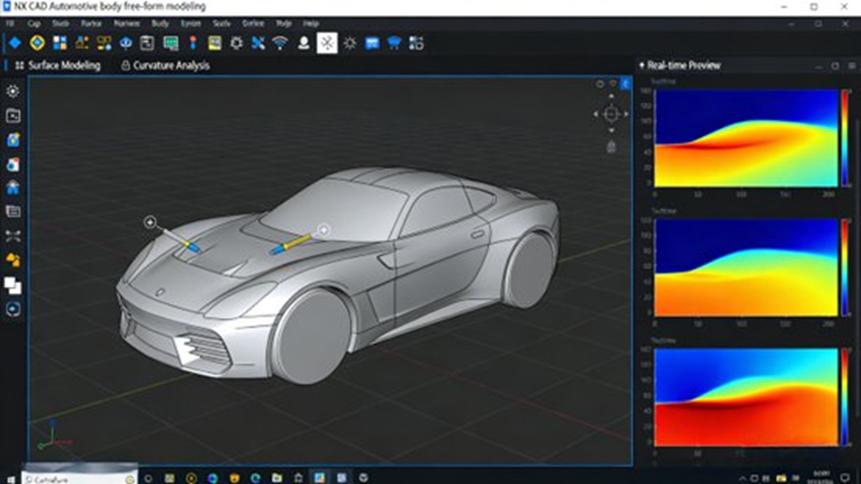
For automotive body design, smooth and aerodynamic surfaces are essential. NX CAD’s freeform surface design tools allow engineers to create complex body shapes while ensuring they meet both aesthetic and performance requirements. This is especially important for parts like car doors, rooflines, and bumpers, where surface quality directly impacts the vehicle’s appearance and aerodynamic performance.
Assembly Design and Interference Checks
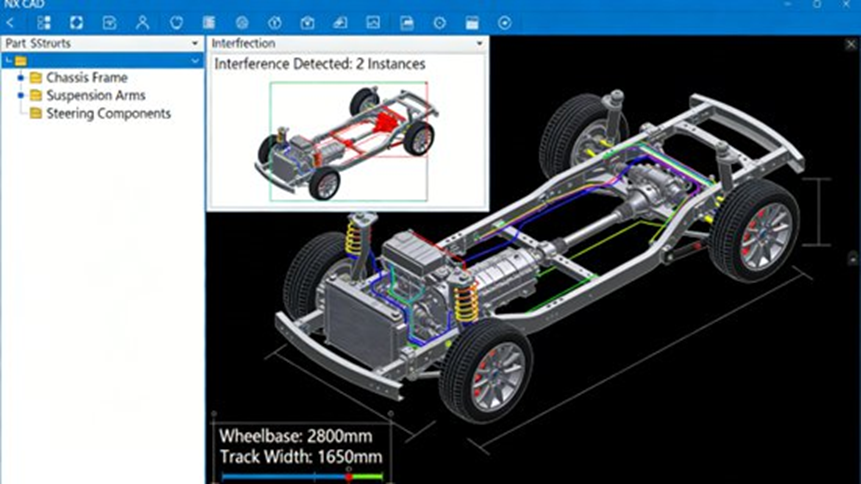
In automotive design, ensuring that all parts fit together properly is crucial. NX CAD’s assembly design tools help engineers create complete vehicle models by checking for interference between parts in real-time. This minimizes the risk of costly errors during manufacturing, improving both assembly efficiency and product quality.
How NX CAD Integrates with Other Tools
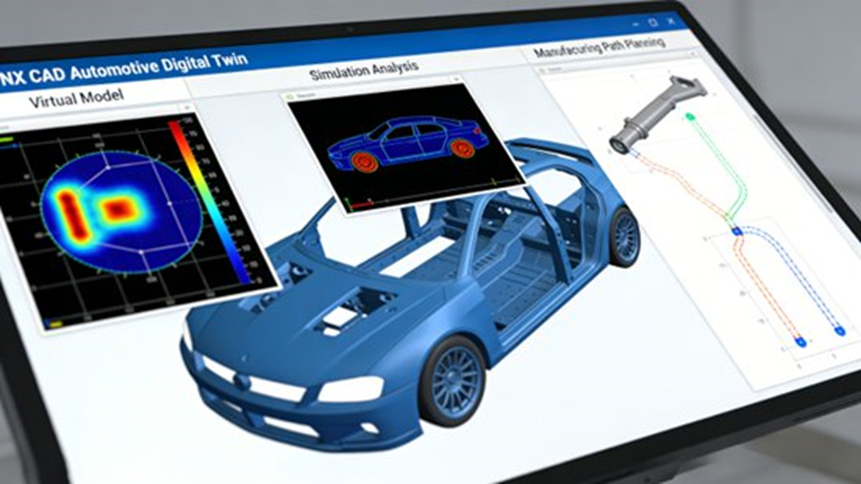
Integration with Simulation Tools (Simcenter)
NX CAD integrates with Simcenter, Siemens’ suite of simulation tools. This integration allows engineers to conduct virtual tests like crash simulations, thermal stress tests, and fatigue analysis. By using simulations, automotive engineers can detect issues early in the design process, reducing the need for physical prototypes and speeding up development.
Manufacturing Integration with NX CAM
NX CAD seamlessly integrates with NX CAM, Siemens’ manufacturing software. This connection ensures that the digital design is accurately transferred to the manufacturing stage, where parts are created with high precision. This integration eliminates discrepancies between design and production, improving efficiency and reducing the chances of manufacturing errors.
Product Lifecycle Management with Teamcenter
NX CAD also integrates with Teamcenter, Siemens’ Product Lifecycle Management (PLM) system. This integration helps manage design data, from initial concepts to final production, ensuring data consistency across teams. With Teamcenter, engineers can collaborate in real-time, ensuring that design changes are communicated and updated across the entire organization.
Optimizing Automotive Design with NX CAD
Design for Lightweighting and Electric Vehicles
As the automotive industry shifts towards electric vehicles (EVs), reducing vehicle weight becomes increasingly important. NX CAD’s topology optimization tools help design lightweight components that maintain structural strength. For example, battery enclosures or chassis parts can be optimized to reduce weight without compromising safety or performance, enhancing overall energy efficiency.
Improving Performance through Design Iteration
NX CAD supports rapid design iterations, enabling automotive engineers to quickly test different configurations for bodywork, braking systems, and aerodynamics. This iterative process helps engineers refine designs, ensuring the final product performs optimally before moving to the production phase.
Case Studies: Real-World Applications of NX CAD
1. Automotive Body Panel Design (Doors)
NX CAD’s freeform surface design tools allow automotive engineers to design complex body panels like car doors with precision. The software helps ensure smooth curves and aerodynamically optimized surfaces. Real-time interference checks ensure that parts fit together without issues during assembly.
2. Automotive Engine Block Design
Designing an engine block requires precise engineering to handle high levels of stress and heat. With NX CAD’s parametric modeling and simulation integration, engineers can optimize the design for strength, efficiency, and lightweighting. This allows for quick testing of different configurations before finalizing the design.
3. Electric Vehicle Battery Pack Bracket Design
For electric vehicles, the battery pack bracket must be both lightweight and strong. NX CAD’s topology optimization tools help engineers design these components by minimizing material use while maintaining required strength. This results in a lighter, more energy-efficient vehicle.
Practical Tips for Using NX CAD
Effective Modeling Techniques
To improve design efficiency, engineers should use custom templates for commonly designed components like engine parts and chassis. Layer management helps keep designs organized, while expressions allow for quick adjustments to parameters like dimensions and material properties.
Common Pitfalls to Avoid
When using NX CAD, it’s crucial to maintain data consistency throughout the design process. Engineers should regularly check for interference between parts and ensure that any design changes are reflected in all related documents. Real-time collaboration through Teamcenter helps ensure that all teams are working with the latest data.
Conclusion: The Future of Automotive Design with NX CAD
NX CAD plays a vital role in shaping the future of automotive design. By offering powerful tools for modeling, simulation, and manufacturing integration, it helps automotive engineers create vehicles that meet the growing demands of the electric vehicle market, autonomous driving technologies, and safety standards. As new technologies like AI and big data continue to develop, NX CAD will remain an essential tool for engineers striving to push the boundaries of vehicle design and innovation.
Frequently Asked Questions (FAQ)
1) What’s “NX X” and what new features are being released?
Short Answer:
NX X is Siemens’ next-generation cloud-native CAD suite. Recent updates include new features such as AI tools, VR/AR support, and enhanced manufacturability checks to accelerate product development.
2) How do automotive engineers automate vehicle design tasks in NX?
Short Answer:
NX supports Vehicle Design Automation (VDA), automating tasks like layout setup, regulatory checks, and configuration updates, speeding up the design process and reducing manual work.
3) How do I integrate NX CAD with PLM and other tools?
Short Answer:
NX CAD integrates with Teamcenter, enabling seamless data management across design, simulation, and manufacturing. This ensures consistent information throughout the product lifecycle.
4) Where can I find help, community discussions, and FAQs for NX CAD?
Short Answer:
You can find help on Siemens NX Community, Eng-Tips, or IndustryArena, where engineers discuss everything from drawing issues to parametric modeling.
5) What are common technical issues people ask about in NX CAD?
Short Answer:
Common technical issues include handling complex assemblies, managing CAM workflows, and fixing drawing template issues.
