


< Back to Automotive Simulation Toolchain
Author: Johnny Liu, CEO at Dowway Vehicle
Last Updated: March 17, 2026
Primary Topic: Automotive engineering simulation toolchain
Platform Focus: MWORKS (Chinese Version)
Industry Context: Electric vehicles, intelligent vehicles, connected vehicles
Direct answer:
MWORKS (Chinese Version) is an engineering-grade CPS platform built for automotive modeling, simulation, verification, and deployment. It gives engineering teams one workflow for multi-domain system modeling, control development, code generation, result analysis, and HIL-ready validation. For vehicle programs dealing with powertrain, chassis, thermal management, and intelligent driving systems, it helps cut tool fragmentation, shorten iteration cycles, and improve model-to-test consistency.
- MWORKS supports the full automotive workflow from modeling to deployment.
- It is built on Modelica and supports mechanical, electrical, thermal, and control coupling.
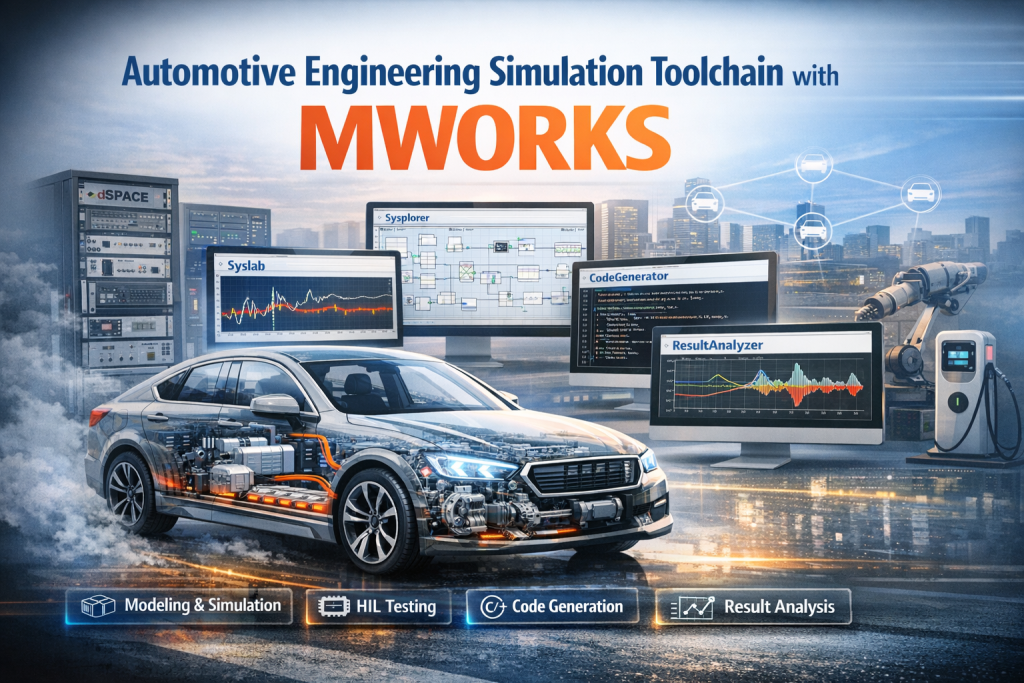
- Its core tools are Sysplorer, Syslab, CodeGenerator, and ResultAnalyzer.
- It fits key automotive use cases such as real-time chassis simulation, EV powertrain-body coupling, and thermal management soft real-time simulation.
- In the report’s engineering cases, model error stayed within 0.8% to 1%, and some development tasks dropped from 15 days to 5 days.
Modern vehicle development is no longer a single-discipline task. A new EV program may need battery thermal control, chassis control, motor torque coordination, body dynamics, and embedded deployment to work as one system. That is why the real question is no longer whether a team has simulation tools. The real question is whether those tools work together well enough for current vehicle programs.
- Why do automotive teams need an integrated simulation toolchain?
- What is MWORKS in an automotive engineering context?
- How is the MWORKS automotive toolchain structured?
- What are the core MWORKS tools for automotive R&D?
- Which automotive scenarios does the MWORKS toolchain cover?
- How does the full MWORKS workflow run from modeling to deployment?
- Case 1: How did MWORKS handle real-time chassis dynamics simulation for HIL testing?
- Case 2: How did MWORKS support EV powertrain and body coupling simulation?
- Case 3: How did MWORKS support thermal management soft real-time simulation?
- What technical strengths does MWORKS show in automotive engineering?
- How does MWORKS compare with fragmented legacy workflows?
- What is the business value for automotive companies?
- What does the report say about the future of MWORKS in automotive development?
- FAQ: What are people asking most about the MWORKS automotive toolchain?
- 1) What is MWORKS and what problems does it solve?
- 2) What are the core components of the MWORKS toolchain?
- 3) How does MWORKS compare with traditional tools like MATLAB/Simulink?
- 4) What is new in the MWORKS 2026a release?
- 5) How can users get support, training, or start using MWORKS?
- Author note
- Editorial note
Why do automotive teams need an integrated simulation toolchain?
They need it because vehicle development has become tightly coupled across domains, while many engineering workflows are still split across separate tools.
As the industry moves deeper into electrification, intelligence, and connectivity, old development methods are under pressure. Powertrain systems in EVs interact with thermal control and chassis behavior. Intelligent driving functions depend on control logic, sensor behavior, system response, and validation workflows that span several teams. Connected vehicle features add even more system interaction.
In many traditional setups, teams still use separate tools for modeling, simulation, testing, and code work. A common pattern is one tool for controls, another for physics, another for test benches, and still others for reporting or deployment. That creates familiar problems:
- incompatible interfaces between software tools
- inconsistent data formats
- poor simulation result consistency
- repeated model translation work
- slow iteration across teams
- higher validation cost
- broken traceability from model to test to code
The report frames this clearly: the issue is not just software choice. The issue is a split workflow that slows down engineering and makes system-level iteration harder.
MWORKS (Chinese Version) is positioned as a system-level answer to that problem. It combines modeling, simulation, compilation, code generation, and result analysis into one automotive-ready toolchain built on Modelica. It also lowers adoption barriers for domestic engineering teams by offering a Chinese interface, Chinese technical documents, and local support. Official MWORKS materials describe it as a scientific computing and system modeling platform with an in-house Modelica compiler and solver, deep Sysplorer–Syslab integration, and automotive solution coverage. (tongyuan.cc)
What is MWORKS in an automotive engineering context?
In automotive work, MWORKS is a full simulation and engineering toolchain rather than a single modeling program.
The report defines MWORKS (Chinese Version) as an engineering-grade CPS integrated platform built around a three-step path: engineering, digitalization, and intelligence. In practical terms, that means one toolchain covers the full flow of modeling → simulation → validation → deployment for core vehicle domains.
For automotive teams, this matters because the platform is built to support:
- powertrain development
- chassis system development
- intelligent driving development
- thermal management development
- embedded deployment
- HIL and soft real-time testing
- cross-team data collaboration
The report also stresses that MWORKS is not just technically unified. It is also workflow unified. It combines:
- multi-domain modeling
- high-fidelity simulation
- control algorithm development
- automatic code generation
- result analysis
- data management
- deployment support
This is the reason the article’s best-fit target keyword remains automotive engineering simulation toolchain. That keyword matches the actual scope of the platform better than a narrower term like “vehicle simulation software.”
How is the MWORKS automotive toolchain structured?
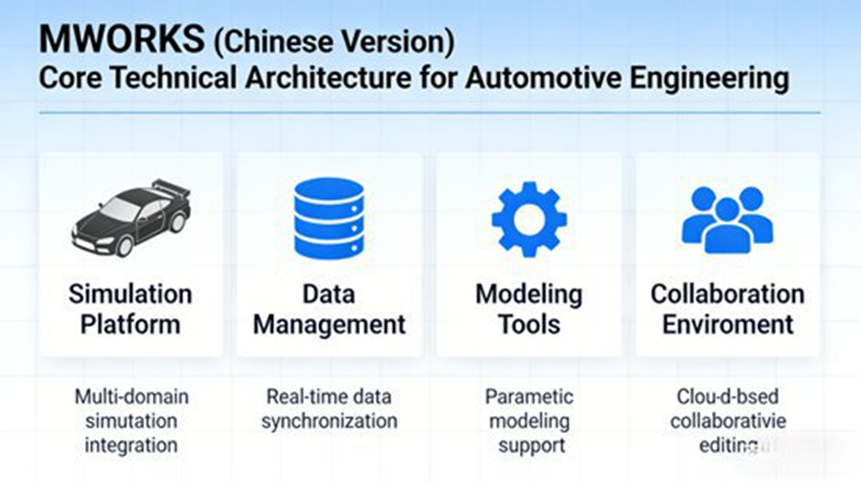
It uses a three-layer architecture: a base layer, a core tool layer, and an application layer.
That structure matters because it explains how the platform supports both low-level technical execution and real engineering use cases.
Base layer: the technical foundation for full-process development
The base layer contains the three core foundations that support the rest of the workflow:
1. Modelica language execution engine
This is the heart of the platform. The report says MWORKS uses a declarative modeling approach. Engineers define:
- which parts make up the system
- how those parts connect
- which physical laws govern the system
They do not need to write long procedural execution logic just to make system models run. That is especially useful in vehicle programs where engines, motors, gearboxes, chassis systems, and thermal loops must be modeled as connected physical systems.
Official MWORKS information states that the platform includes a fully self-developed Modelica compiler and solver engine, supports the latest Modelica 3.6 specification, and is compatible with standard library versions from Modelica 2.2.2 to 4.0. (tongyuan.cc)
2. Multi-domain physical modeling core
This core supports coupled simulation across:
- mechanics
- electrical systems
- thermodynamics
- control systems
That allows unified modeling of engines, motors, transmissions, thermal systems, chassis components, and control logic in one system model. The report treats this as one of the platform’s strongest points because many older toolchains struggle when physical domains must interact tightly.
3. Unified data management system
The data system brings together engineering assets across the full process, including:
- model files
- simulation parameters
- test data
- generated code files
The goal is standardized management, traceability, and cross-team sharing. In automotive programs, that helps reduce the data split that often appears between simulation teams, control teams, and validation teams.
What are the core MWORKS tools for automotive R&D?
The report centers the workflow on four core tools: Sysplorer, Syslab, CodeGenerator, and ResultAnalyzer.
These tools connect directly rather than working as isolated modules.
Sysplorer: multi-domain modeling and simulation
Short answer: Sysplorer is the main environment for system modeling, parameter setup, and simulation across automotive domains.
The report describes Sysplorer as the core tool for multi-domain modeling and simulation. It supports graphical drag-and-drop modeling and includes built-in automotive libraries for:
- powertrain
- chassis
- thermal management
- intelligent driving
The report also names specific vehicle-oriented resources and templates, including:
- MFTire tire models
- UniTire tire models
- dual-motor vehicle body architecture templates
- single-motor multi-body vehicle architecture templates
That means engineers can start from proven automotive components instead of building every subsystem from scratch. Sysplorer also supports:
- parameterized model setup
- multi-condition simulation
- acceleration scenarios
- braking scenarios
- handling scenarios
- complex scenarios such as tire blowout simulation
- active suspension control simulation
Official MWORKS help pages and product materials show that Sysplorer supports physical modeling, co-simulation, hardware-in-the-loop interfaces, model libraries for vehicle dynamics, vehicle economy, thermal management, electronics, engines, and batteries, as well as tools for model order reduction and linearization. (en.tongyuan.cc)
Syslab: algorithm development and validation
Short answer: Syslab is the environment for scientific computing, control logic development, training, and algorithm verification.
The report says Syslab is used for automotive control algorithm development and validation. It supports model-based control design such as:
- PID control
- model predictive control (MPC)
It also includes GPU acceleration, which helps with fast training and visual validation for more demanding algorithms. In automotive work, that makes it suitable for:
- intelligent driving algorithms
- powertrain control strategies
- thermal management control logic
One point the report makes clearly is that Syslab does not sit apart from Sysplorer. The two tools work together, so algorithms developed in Syslab can be imported into system models for closed-loop simulation and stability checks.
Official MWORKS product information confirms that Syslab is based on a high-performance scientific computing engine with Julia support, parallel computing, GPU computing, toolboxes for controls, AI, data science, signal processing, and deep integration with Sysplorer through shared workspace and bidirectional calling. (en.tongyuan.cc)
CodeGenerator: production-oriented code generation
Short answer: CodeGenerator turns validated models and algorithms into embedded C/C++ code for ECU, rapid prototyping, and HIL workflows.
The report says CodeGenerator can take Sysplorer models and Syslab algorithms and automatically generate C/C++ code that follows automotive industry requirements, including ISO 26262 functional safety expectations.
It supports use in:
- embedded ECU deployment
- rapid prototyping
- HIL testing
The report’s point here is practical: automatic code generation cuts manual coding workload, lowers coding error risk, and improves delivery speed and reliability for production-oriented programs.
Official MWORKS documentation includes embedded code generation, Syslab code generation, fixed-point design tools, and interfaces for broader engineering workflows. (en.tongyuan.cc)
ResultAnalyzer: result analysis and test comparison
Short answer: ResultAnalyzer helps engineers compare simulation outputs, find faults, and build reports faster.
The report says ResultAnalyzer supports:
- multi-dimensional data comparison
- curve analysis
- over-limit alarms
- automatic simulation test report generation
It also supports data docking with third-party tools such as:
- dSPACE
- VT HIL systems
That makes it useful for comparing simulation outputs with test bench or real vehicle data, which helps engineering teams locate model or algorithm issues more quickly.
Which automotive scenarios does the MWORKS toolchain cover?
The report groups automotive use into four main scenario areas.
Each scenario is supported with dedicated libraries, templates, and validation flows so the toolchain can match real engineering work rather than generic simulation tasks.
1. Powertrain development
The platform supports vehicle powertrain work across engines, motors, transmissions, reducers, and energy economy analysis. It is built for both conventional and new-energy vehicle programs.
2. Chassis system development
The report places strong weight on chassis applications, including:
- vehicle dynamics
- suspension system modeling
- active suspension control
- blowout simulation
- handling simulation
- HIL-ready chassis control validation
3. Intelligent driving development
The platform is positioned to support intelligent driving and advanced control work through algorithm development, system coupling, and validation workflows. While the report’s detailed cases focus more on chassis, powertrain-body coupling, and thermal systems, the application layer explicitly includes intelligent driving as a main domain.
4. Thermal management system development
This includes modeling and simulation for:
- water cooling loops
- refrigeration loops
- HVAC-related thermal flow behavior
- battery thermal control
- motor cooling
- component-level heat exchange behavior
The application layer is one reason the platform fits cluster-page positioning well. It connects one core platform to several subtopics that can each become supporting articles.
How does the full MWORKS workflow run from modeling to deployment?
It starts with model building, moves through algorithm integration and simulation, then ends with generated code and validation.
The report describes this as a closed-loop engineering workflow. That matters because many teams lose time every time they switch tools or rebuild models in different environments.
A typical workflow looks like this:
- Build the physical system model in Sysplorer
Engineers assemble the vehicle, subsystem, or component model using automotive libraries and templates. - Set parameters and run multi-condition simulation
The model is configured for use cases such as acceleration, braking, handling, thermal response, or control behavior. - Develop control algorithms in Syslab
Control logic is built, trained if needed, and checked with visual or closed-loop methods. - Import the algorithm into the system model
The toolchain supports closed-loop simulation so the engineering team can test whether the algorithm works in the physical system context. - Generate embedded code with CodeGenerator
The validated model or algorithm is turned into C/C++ code for ECU or related deployment needs. - Validate with HIL, soft real-time, or other testing methods
The workflow supports HIL scenarios, soft real-time simulation, and comparison against test data. - Analyze outputs with ResultAnalyzer
Engineers compare data, find outliers, generate reports, and refine the design.
The report says this full-loop workflow can shorten development time by roughly 30% to 50% by reducing workflow breaks and keeping data formats consistent from step to step.
Case 1: How did MWORKS handle real-time chassis dynamics simulation for HIL testing?
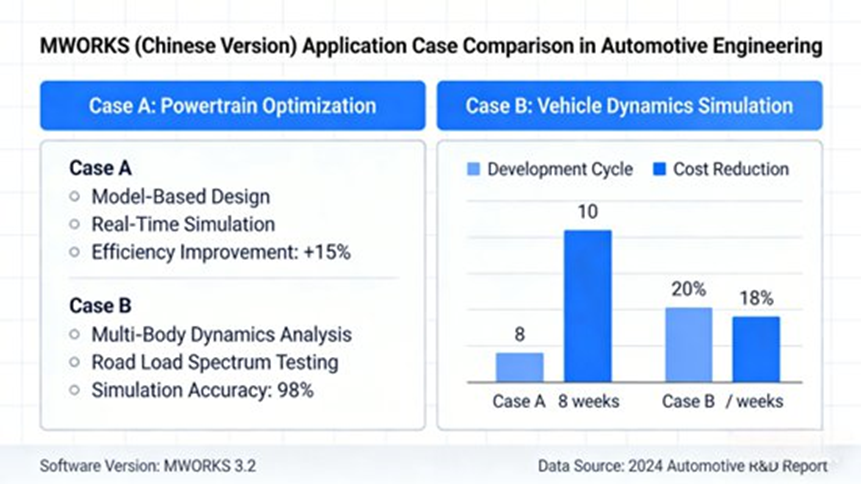
It was used to build a full vehicle chassis dynamics model that achieved a fixed step of 1 ms and met dSPACE HIL communication needs.
This is the report’s first detailed engineering case, and it is one of the clearest proofs of real-time simulation value.
Engineering need
A vehicle manufacturer’s chassis-domain project needed:
- a full vehicle dynamics model
- fixed-step real-time simulation at 1 ms
- compatibility with a dSPACE HIL environment
- support for complex scenarios such as:
- tire blowout simulation
- real-time road condition changes
- active suspension control
The goal was to validate chassis control algorithms in a HIL setup.
MWORKS solution
Modeling stage
The team used Sysplorer and called built-in models including:
- multi-body vehicle body model
- KC lookup-table suspension model
- MFTire tire model
A chassis dynamics model was then built and coupled with the power system model through a bus interface.
The model also exposed external input interfaces for:
- six-component wheel forces
- road friction coefficient
- suspension stiffness and damping
This made it possible to take real-time inputs from scenario simulation software.
Simulation optimization
Because real-time performance was required, the model was optimized in Sysplorer.
The report says the team selectively disabled non-key modules in the KC suspension system, including:
- compliance feature calculation
- X-direction translation calculation
- Y-direction translation calculation
This reduced simulation load. The team also optimized solver parameters and used an event-driven hybrid solver to improve speed and stability.
Validation and deployment
The optimized vehicle dynamics model was brought into the HIL system and communicated in real time with the chassis control ECU. The setup simulated:
- tire blowout events
- changing road friction conditions
ResultAnalyzer was then used to study outputs such as:
- body posture
- tire adhesion force
That analysis helped refine suspension control strategy.
Engineering results
The report gives several exact results:
- the model achieved 1 ms fixed-step real-time simulation
- it met HIL communication requirements
- consistency error versus real vehicle test data was kept within 0.8%
- in active suspension control simulation, external added force allowed 0.1 m accurate suspension height control
- compared with passive suspension, body posture stability improved by 30%
- in blowout simulation, the model accurately reflected how tire pressure change affected wheel mechanical characteristics
The report’s message here is direct: the platform provided reliable simulation support for chassis control validation while cutting HIL test time and cost.
Case 2: How did MWORKS support EV powertrain and body coupling simulation?
It linked the powertrain and multi-body body model in one simulation flow so the team could study both vehicle performance and handling together.
This second case focuses on pure electric vehicle development, where longitudinal and lateral behavior cannot be treated as separate topics if the goal is system optimization.
Engineering need
A pure EV development project needed to couple:
- a powertrain system with single motor + gearbox
- a multi-body vehicle body model
The engineering team needed to simulate:
- vehicle acceleration performance
- driving range behavior
- the effect of drivetrain torque fluctuation on:
- body posture
- handling performance
The goal was unified longitudinal and lateral simulation to support joint optimization of the powertrain and chassis systems.
MWORKS solution
Model build
The team used Sysplorer and called the TAEconomy module library’s single-motor multi-body vehicle architecture template to build the powertrain model, including:
- motor
- gearbox
- reducer
At the same time, it called the TADynamics module library’s multi-body vehicle model, including:
- 6-DOF body model
- KC suspension
A bus communication module then adapted signals between the systems without complex manual interface development.
Condition simulation
The team set multiple drive conditions, including:
- constant speed
- acceleration
- steering
Sysplorer’s multi-condition simulation then captured:
- powertrain torque output
- drivetrain power transfer
- body posture change
- tire adhesion force change
The report says this delivered coordinated longitudinal and lateral simulation. The team also used parameter scanning to study how:
- gearbox ratio
- motor torque characteristics
changed both dynamic performance and handling behavior.
Optimization
ResultAnalyzer was used to compare outputs under different parameter combinations. The team then optimized:
- motor control strategy
- gearbox ratio
Engineering results
The report gives exact result details here too:
- 0–100 km/h acceleration time was reduced by 0.5 s
- driving range improved by 5%
- drivetrain torque fluctuation had less effect on body posture
- ride comfort improved
- simulation cycle dropped from 15 days to 5 days
The report also stresses that this coupling was achieved without building multiple disconnected models, which is a major workflow gain for EV development.
Case 3: How did MWORKS support thermal management soft real-time simulation?
It was used to model multi-loop thermal systems, run soft real-time simulation, and tune control logic for new-energy vehicle thermal management.
This case is especially useful because thermal management in new-energy vehicles is now a system-level discipline rather than a simple cooling subsystem.
Engineering need
A new-energy vehicle thermal management project needed:
- a multi-loop thermal management model
- soft real-time simulation
- support for control algorithm debugging and validation
The model had to support new refrigerants such as:
- R290
- R744
It also had to accurately simulate components such as:
- heat exchangers
- water pumps
The purpose was to optimize overall vehicle thermal management performance.
MWORKS solution
Model build
The team used Sysplorer and called components from the thermal management library, including:
- multi-input lookup-table water pump
- air-side intake grille
It then built a multi-loop model covering:
- water cooling loop for motor and battery heat dissipation
- refrigeration loop for the air-conditioning system
The case selected R290 refrigerant and set parameters for:
- heat exchangers
- valve components
to simulate heat transfer behavior.
Real-time optimization
The report says that because multi-loop thermal systems have high coupling and are hard to simulate in real time, the team improved performance by:
- simplifying lower-level heat exchange formulas
- adding valve opening and closing transition functions
- optimizing refrigerant-side pressure calculation
At the same time, Syslab was used to develop the thermal management control algorithm, which was imported into the simulation model for closed-loop validation.
Performance validation
ResultAnalyzer was used to analyze parameters such as:
- evaporator heat exchange
- condenser heat exchange
- system pressure
The team then simulated response under different:
- ambient temperatures
- driving conditions
to tune control parameters and keep battery and motor temperatures in proper ranges.
Engineering results
The report gives the following results:
- the multi-loop thermal model achieved soft real-time simulation
- fixed-step synchronized simulation performed well
- error versus bench test data stayed below 1%
- the model supported accurate simulation of new refrigerants
- the platform could quickly adapt to different thermal management architectures
- after control optimization, battery operating temperature fluctuation stayed within ±2°C
- motor cooling efficiency improved by 10%
The report ties these outputs to better driving range and stronger component reliability in new-energy vehicles.
What technical strengths does MWORKS show in automotive engineering?
The report points to five main strengths, and each one has direct engineering value.
1. Strong multi-domain coupling
Because it is built on Modelica and supports unified physical modeling, MWORKS can bring together:
- mechanics
- electrical systems
- thermodynamics
- control systems
That helps automotive teams work on tightly coupled systems without jumping across several disconnected tools.
2. High simulation fidelity and real-time performance
The report says the platform combines high-accuracy physical modeling with optimized solvers. In the cases given, consistency error stayed within 1% or better. It also supports model optimization and GPU acceleration, which helps it reach 1 ms fixed-step real-time simulation in HIL-type work.
3. Closed-loop development from model to deployment
The workflow runs from:
- modeling
- simulation
- algorithm development
- code generation
- validation
- deployment
Because the tools connect directly and use unified data formats, the workflow avoids a lot of handoff friction. The report says this can shorten development cycles by 30% to 50%.
4. Strong local fit for Chinese engineering teams
The report gives this a dedicated place. MWORKS (Chinese Version) offers:
- full Chinese-language user interface
- Chinese technical documentation
- local technical support
- room for custom development based on domestic automotive needs
That matters because language barriers and slow overseas support often make advanced engineering tools harder to use at scale.
5. Reliability and compliance
The report says generated code can meet ISO 26262 functional safety requirements and can be used for production ECU development. It also supports traceability and compliance management that fit automotive quality control needs.
How does MWORKS compare with fragmented legacy workflows?
The biggest difference is workflow continuity.
Many engineering teams still rely on setups where one tool handles control diagrams, another handles physical simulation, another handles data management, and another handles code or test work. The result is extra interface work, extra validation overhead, and extra chances for mismatch.
MWORKS is discussed in the market as a one-stop engineering environment that can reduce reliance on a MATLAB/Simulink-plus-many-tools setup by combining system modeling, scientific computing, code generation, and model collaboration in one platform. Official sources show support for Sysplorer, Syslab, code generation, model import and export, HIL interfaces, and broad model library coverage. (en.tongyuan.cc)
That does not mean teams will always replace every legacy tool on day one. It means MWORKS is built to reduce the number of broken steps in the engineering chain.
What is the business value for automotive companies?
The value is faster iteration, lower test cost, better collaboration, and stronger support for new vehicle programs.
The report says broader use of MWORKS can help solve problems that many domestic automotive teams still face:
- scattered toolchains
- low engineering efficiency
- high development cost
- slow cross-team collaboration
It also argues that the platform supports a broader shift from traditional development toward digital R&D, where some physical vehicle testing can be replaced by virtual simulation. The report estimates that physical vehicle test cost can be reduced by roughly 40% to 60% in such workflows.
That matters most in areas where system interaction is heavy:
- new-energy vehicles
- intelligent connected vehicles
- power system optimization
- intelligent driving algorithm validation
- thermal management upgrades
The article’s business case is simple. Better simulation flow does not just save engineering time. It helps vehicle companies respond to market demand faster and shorten new product launch cycles.
What does the report say about the future of MWORKS in automotive development?
It says the platform is moving toward stronger AI integration, broader ecosystem fit, and more support for advanced intelligent vehicle work.
The report’s closing section does not stop at current functions. It points to several next steps:
1. Stronger embodied intelligence toolchain support
The report says MWORKS is expected to keep improving its full-process toolchain in this area, which suggests broader support for more adaptive and intelligent system development flows.
2. Deeper integration with AI
This includes future work such as:
- intelligent optimization of simulation models
- automatic generation of control algorithms
- higher development intelligence across the engineering flow
3. Broader ecosystem adaptation
The report says the platform is expected to expand cooperation with:
- domestic vehicle companies
- universities
- research institutes
This would support richer automotive model libraries and more scenario-based solutions.
4. Better support for safety and security needs
The future direction also includes stronger support for:
- functional safety
- information security
That becomes more relevant as vehicle software stacks grow and intelligent driving systems become more complex.
5. Support for new scenarios
The report links future platform work to new R&D needs such as:
- high-level intelligent driving
- vehicle-road-cloud connectivity
The long-term claim is that MWORKS could become a core toolchain in domestic automotive R&D and support a move toward digital, intelligent, and self-controlled engineering capability.
FAQ: What are people asking most about the MWORKS automotive toolchain?
Below are the five FAQ items you wanted added. I kept them in a search-friendly format with a short answer first.
1) What is MWORKS and what problems does it solve?
Short answer:
MWORKS is an integrated engineering CPS platform for scientific computing, multi-domain modeling, simulation, code generation, and verification. It helps replace split engineering workflows with one connected toolchain.
Full answer:
MWORKS is used in automotive, aerospace, energy, and other engineering sectors. In automotive work, it helps teams avoid the usual pain points of fragmented tool use, such as poor interface compatibility, inconsistent data, repeated model rebuilding, and slower validation cycles. Instead of running modeling, algorithm work, code generation, and result analysis in separate environments, teams can keep more of the development process inside one connected platform. Official MWORKS materials describe the platform as a scientific computing and system modeling environment with a self-developed Modelica engine and integrated workflow support. (tongyuan.cc)
2) What are the core components of the MWORKS toolchain?
Short answer:
The main components are Sysplorer, Syslab, Sysblock, domain libraries, and collaboration resources such as Syslink or MoHub.
Full answer:
From the platform side, the MWORKS ecosystem includes several key environments. Sysplorer handles multi-domain system modeling and simulation. Syslab handles scientific computing and algorithm work. Sysblock supports block-diagram and state-machine modeling. Domain-specific toolboxes and model libraries support areas such as controls, powertrain, thermal systems, batteries, vehicle dynamics, and electronics. Official resources also point users to help systems, downloads, and MoHub support resources for shared knowledge and onboarding. (en.tongyuan.cc)
3) How does MWORKS compare with traditional tools like MATLAB/Simulink?
Short answer:
MWORKS is built to reduce tool fragmentation by combining multi-domain modeling, scientific computing, code generation, and validation in one workflow.
Full answer:
In many legacy engineering stacks, MATLAB/Simulink is used together with other software for physics modeling, data handling, code work, and test support. MWORKS is discussed as a more connected alternative because it supports Modelica-based system modeling, Syslab-based scientific computing, code generation, HIL interfaces, library-based physical modeling, and deeper tool integration in one platform. Official help documents also include migration topics such as “From Simulink to Sysplorer” and “From MATLAB to Syslab,” which shows that direct comparison is already part of the platform’s adoption path. (en.tongyuan.cc)
4) What is new in the MWORKS 2026a release?
Short answer:
MWORKS 2026a added platform upgrades, new modules and libraries, stronger workflow tools, and support resources linked to the 2026 Starfire Plan.
Full answer:
The official download center lists Syslab 2026a and Sysplorer 2026a releases in February 2026. Syslab 2026a includes updates to the IDE, debugging, Julia package deployment, plotting, app designer, code generation, Copilot plugin, help documents, installers, and 21 scientific computing libraries, plus a new signal analyzer app. Sysplorer 2026a adds block model upgrade mechanisms, improved wiring logic, truth table support for state machines, subsystem reference support, 18 new block modules, updates to automation testing, Simulink export, model order reduction and fusion simulation tools, CAD tools, model linearizer, HIL interface tools, and Simulink model import tools. It also adds four new model libraries: battery, aviation fuel, new power system, and mixed-signal libraries, with 163 new model library examples moved into help documentation. Official MWORKS pages also promote the MWORKS 2026 Starfire Plan, running from February 6, 2026 to December 31, 2026. (tongyuan.cc)
5) How can users get support, training, or start using MWORKS?
Short answer:
Users can start from the official download center, help center, training resources, and the 2026 Starfire Plan.
Full answer:
Official MWORKS pages provide downloads, installation notes, release notes, and help documentation. The platform also promotes the 2026 Starfire Plan, which is presented as a support and adoption program. Official product pages and help pages also direct users to resources such as the Help Center and MoHub-related support paths. That gives new users a clear route for trial access, documentation, learning, and technical support. (en.tongyuan.cc)
Author note
Johnny Liu is CEO at Dowway Vehicle. This article is written for readers who want a clear technical view of how an automotive engineering simulation toolchain can support modeling, simulation, validation, and deployment in real vehicle development programs.
Editorial note
This article is based on the supplied report, “Automotive Toolchain — MWORKS (Chinese Version) Technical Analysis and Engineering Applications,” with structure and wording adjusted for search clarity, AI retrieval, and English-language publishing.
