



< Back to Automotive Design Toolchain
By Johnny Liu, CEO at Dowway Vehicle
Last Updated: March 2026
- Introduction to ZW CAD in Automotive Design
- ZW CAD’s Position in the Automotive Design Toolchain
- Core Features and Technological Advantages of ZW CAD
- Integration with Other Automotive Design Tools
- Practical Use Cases in Automotive Engineering
- ZW CAD for Automotive Parts Design
- Customization and Integration for Automotive Manufacturers
- ZW CAD and Collaboration in the Automotive Design Process
- Cost-Effectiveness and Accessibility for Small and Medium-Sized Enterprises (SMEs)
- Future Developments and Trends for ZW CAD in Automotive Design
- Conclusion
- Frequently Asked Questions (FAQs)
- 1. How do I batch import point coordinates into ZWCAD?
- 2. Why does ZWCAD show "Unknown Command" when I type a familiar CAD instruction?
- 3. How can blocks be renamed or modified (single and batch) in ZWCAD?
- 4. Why do copied blocks change appearance or attributes when pasted into other drawings?
- 5. How to enable auto-save and recover a drawing after a crash?
Introduction to ZW CAD in Automotive Design
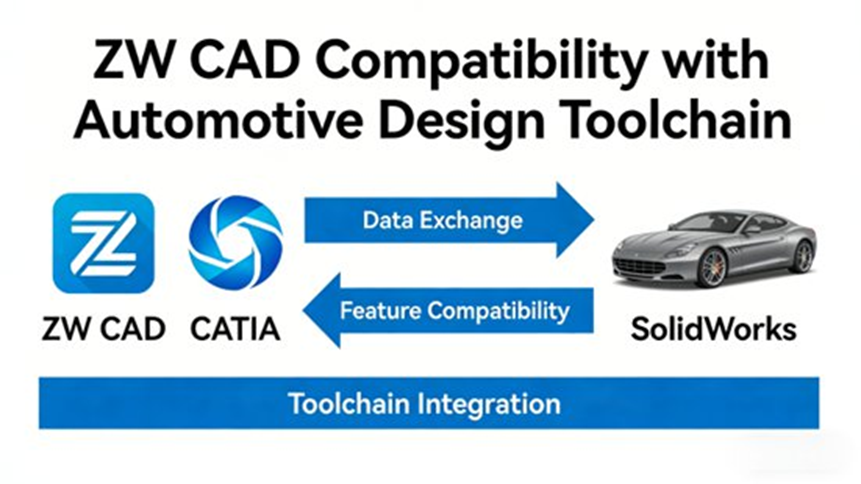
As the automotive industry continues to evolve, CAD tools like ZW CAD (Chinese Version) have become crucial for design and manufacturing processes. ZW CAD stands out with its high compatibility, specialized features, and cost-effectiveness, making it an ideal solution for small and medium-sized automotive manufacturers.
This guide explores how ZW CAD helps streamline automotive design workflows, its core features, and real-world applications.
ZW CAD’s Position in the Automotive Design Toolchain
ZW CAD is an essential tool in the automotive design toolchain, working alongside other software to create accurate models and technical drawings. It stands out in the market as a cost-effective alternative to high-end CAD systems like AutoCAD and CATIA, particularly for smaller manufacturers.
Key Benefits of ZW CAD in Automotive Design:
- Compatibility: It supports common file formats like DWG, IGES, STEP, and STL, ensuring smooth data transfer.
- 2D & 3D Capabilities: ZW CAD excels in both 2D drawing creation and 3D model editing, which are essential for detailed automotive parts design.
- Cost-Effectiveness: Its affordable pricing makes it accessible for smaller automotive companies, offering high-quality CAD tools without the hefty costs associated with other software.
Core Features and Technological Advantages of ZW CAD
ZW CAD offers several advantages that make it a preferred tool for automotive designers, particularly in its ability to handle complex parts and assemblies.
1. Full Format Compatibility
ZW CAD ensures smooth collaboration with other tools by supporting:
- DWG: Complete compatibility with AutoCAD’s DWG format, allowing users to import, edit, and export drawings seamlessly.
- IGES, STEP, STL: These formats are crucial for 3D modeling, enabling easy integration with design tools like Alias.
This ensures that automotive designers can work efficiently across different stages of the design process without worrying about data loss or format issues.
2. Automotive-Specific Modules
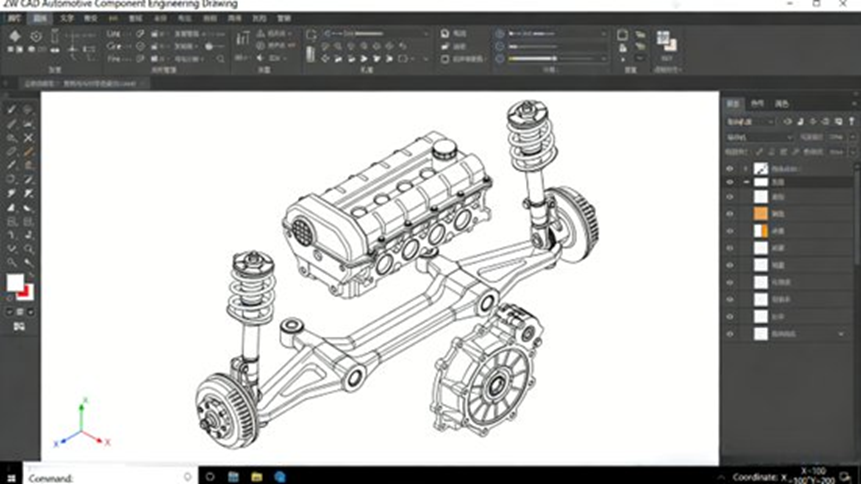
ZW CAD includes features tailored for the automotive industry:
- Tolerances & Annotations: The software supports industry-standard geometric dimensioning and tolerancing (GD&T), making it ideal for creating precise parts.
- Parameterization: It allows users to define key parameters, such as dimensions and angles, for easy modification, saving time during design iterations.
- 3D Lightweight Display & Interference Checking: These features allow designers to view complex models without lag and check for assembly conflicts early in the design process.
3. Customization and Integration
One of ZW CAD’s standout features is its ability to be customized to fit the specific needs of automotive manufacturers:
- Custom Toolbars & Templates: Users can streamline their workflow by saving frequently used tools and templates.
- PLM System Integration: ZW CAD integrates with Product Lifecycle Management (PLM) systems, ensuring smooth data management and better collaboration between teams.
4. Data Security and Stability
For automotive manufacturers, data security is critical. ZW CAD offers features like:
- Auto-save & Backup: These options protect against data loss during crashes or power outages.
- Multi-core Processing: ZW CAD ensures that large models can be handled efficiently, making it ideal for complex automotive assemblies.
Integration with Other Automotive Design Tools
ZW CAD works seamlessly with a wide range of automotive design tools, ensuring that manufacturers can maintain a smooth workflow across different stages of the design process.
- Upstream Integration: ZW CAD integrates well with modeling tools like Alias, allowing users to import and edit 3D data in IGES or STEP formats.
- Downstream Integration: ZW CAD connects with simulation tools like Abaqus and STAR-CCM+ for structural and aerodynamic analysis, ensuring that design changes are fully tested.
- PLM Integration: The software’s compatibility with PLM systems ensures that all design data is tracked and managed throughout the product lifecycle.
Practical Use Cases in Automotive Engineering
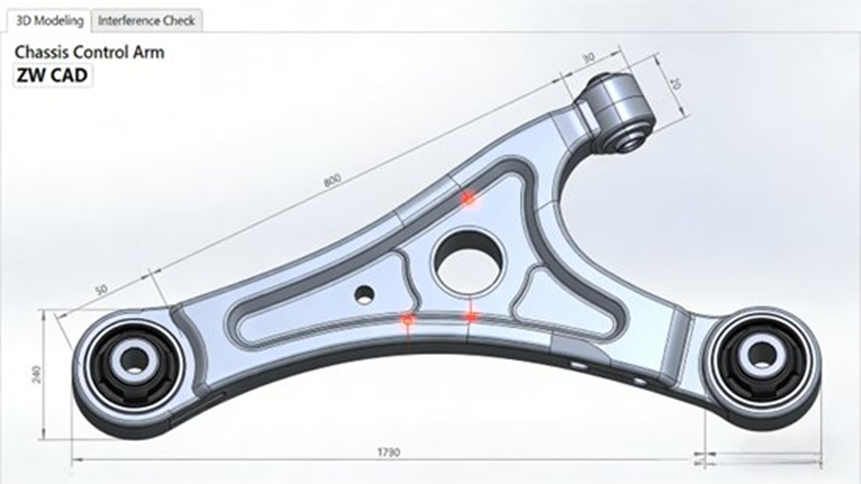
ZW CAD is widely used in automotive design for various components. Here are two examples of how it is applied in real-world scenarios:
Case Study 1: Chassis Design
For chassis design, ZW CAD allows engineers to:
- Import and Edit Models: Quickly import chassis parts from Alias and other design tools and make necessary modifications.
- 3D Modeling & Conflict Detection: ZW CAD’s interference checking feature ensures that components fit together properly before production.
Case Study 2: Engine Fasteners Design
When designing engine fasteners, ZW CAD offers:
- Parametric Modeling: Fasteners can be quickly customized for different models by adjusting key parameters.
- Standardized Design: It supports standardized parts design, ensuring compatibility with other vehicle components.
- Automated Drawing Creation: ZW CAD can automatically generate engineering drawings from 3D models, ensuring accuracy and saving time.
ZW CAD for Automotive Parts Design
Whether designing small components like fasteners or larger parts like chassis frames, ZW CAD allows automotive manufacturers to create precise models that meet industry standards.
- Standardization: ZW CAD helps manufacturers standardize parts for mass production, reducing design time and cost.
- Engineering Drawings: ZW CAD automatically generates detailed engineering drawings for easy production, ensuring quality and consistency.
Customization and Integration for Automotive Manufacturers
ZW CAD offers several features that allow automotive manufacturers to tailor the software to their needs:
- Custom Templates: Manufacturers can create and save templates for frequently used parts, ensuring design consistency.
- Custom Plugins: ZW CAD allows the creation of custom plugins or scripts for automating repetitive tasks, such as wiring harness design.
- PLM Integration: Integration with PLM systems ensures that design data is managed throughout the product lifecycle.
ZW CAD and Collaboration in the Automotive Design Process
Collaboration is key in automotive design. ZW CAD helps streamline communication between design teams and suppliers by:
- Cloud-based Data Sharing: ZW CAD integrates with PLM systems, ensuring that all teams have access to the most up-to-date design data.
- Collaborative Features: ZW CAD’s collaboration tools allow multiple teams, including design, engineering, and production, to work on the same project simultaneously.
Cost-Effectiveness and Accessibility for Small and Medium-Sized Enterprises (SMEs)
ZW CAD is an affordable option for small and medium-sized automotive manufacturers, offering a robust set of features without the high costs associated with other CAD systems.
- Affordable Licensing: ZW CAD’s pricing structure is far more accessible than high-end systems like CATIA, making it a great option for SMEs.
- Strong ROI: The software’s features, coupled with its low cost, ensure a high return on investment for smaller businesses.
Future Developments and Trends for ZW CAD in Automotive Design
As the automotive industry shifts towards electric vehicles and more advanced technologies, ZW CAD is evolving to meet these new challenges:
- Electric Vehicle (EV) Design: ZW CAD will introduce features that support the unique design requirements of EV components.
- AI Integration: The software will integrate AI tools to help automate tasks like design error checking and optimization.
- Digital Twin Technology: ZW CAD is expected to integrate with digital twin technologies, allowing for real-time simulations and predictive modeling.
Conclusion
ZW CAD (Chinese Version) has proven to be a versatile and cost-effective solution for automotive design. Its compatibility, customization options, and automotive-specific features make it an ideal choice for small and medium-sized automotive manufacturers looking to streamline their design processes. As the automotive industry continues to evolve, ZW CAD will remain a valuable tool for manufacturers striving for innovation and efficiency in design.
Frequently Asked Questions (FAQs)
1. How do I batch import point coordinates into ZWCAD?
Commonly asked by users working on survey-to-CAD or importing automotive points.
👉 Answer: Use the built-in coordinate import tool or dedicated batch import command in ZWCAD, mapping your CSV or coordinate file into the drawing. ([zwsoft.com][1])
2. Why does ZWCAD show “Unknown Command” when I type a familiar CAD instruction?
This often occurs when switching from AutoCAD workflows.
👉 Answer: An unknown command error typically means that the command isn’t available in your workspace or version. Ensure you’re using the correct edition and that your alias file includes the command. ([confluence.zwcad.com][2])
3. How can blocks be renamed or modified (single and batch) in ZWCAD?
Block editing is essential in automotive design for reusing templates and assemblies.
👉 Answer: ZWCAD supports block editing directly. You can rename blocks via the block editor or modify block attributes in batch mode. ([zwsoft.com][1])
4. Why do copied blocks change appearance or attributes when pasted into other drawings?
This is a common CAD interoperability issue.
👉 Answer: This occurs due to mismatched layers or missing block definitions. Ensure reference layers and styles are consistent before pasting blocks. ([zwsoft.com][1])
5. How to enable auto-save and recover a drawing after a crash?
Data safety is a top concern in automotive design workflows.
👉 Answer: Enable auto-save in settings; if ZWCAD crashes, open the auto-save file from the temporary folder to recover recent changes. ([zwsoft.com][3])
About the Author
Johnny Liu, CEO at Dowway Vehicle
With over 15 years of experience in automotive engineering and design, Johnny Liu leads Dowway Vehicle’s technological innovations in manufacturing. His mission is to leverage advanced tools like ZW CAD to streamline automotive design processes.
